Zero Configuration.
Just speak.
Unlike other local AI tools that require command-line interfaces, manual downloads, or constant tinkering, VoxiPrompter is ready out of the box.
We've built highly optimized, state-of-the-art multilingual voice recognition natively into the app package. Simply select your microphone and you are ready to deliver.
 VoxiPrompter
Absolute Privacy.
100% Offline.
Your voice is processed securely using the processing power of your own computer. No audio data is ever uploaded to the cloud.
This makes VoxiPrompter the superior choice for confidential corporate presentations, unreleased scripts, and creators operating in environments with poor internet access.
Microphone
Captured locally
On-Device AI
Processing on your CPU/GPU
Cloud Upload — Blocked
Internet Not Required
AI Voice Tracking.
Sync to your pace.
The AI listens continuously and matches your speech to the script using advanced Longest Common Subsequence (LCS) matching. The prompter scrolls automatically to keep you in frame.
Pause, speak faster, slow down, or go off-script temporarily — the prompter adapts instantly to your actual speech. No manual clicking, no interruptions. Your natural delivery flow is preserved.
- Pauses when you pause
- Handles stumbles and corrections gracefully
- Works with any accent or speaking style
Speech matching in progress
YOUR SPEECH
The future of technology is
SCRIPT MATCH
The future of technology is
Matched at position 42 of 847
PROMPTER SCROLLS
One setting. Everything tuned.
Speaking Pace.
Instantly optimized.
Choose how fast you naturally speak — Slow, Normal, or Fast (default) — and VoxiPrompter automatically calibrates endpoint timing, silence detection, segment management, and stale-text detection behind the scenes.
No sliders to fiddle with. No recording sessions. Just pick your pace and start speaking. The engine adapts its timing so you're never cut off mid-sentence or left waiting for the scroll to catch up.
- Three presets: Fast (default), Normal, Slow
- Tunes 4 engine parameters simultaneously
- Persisted in settings — remembered between sessions
Auto-Scroll.
No voice needed.
Don't want to use AI voice tracking? Switch to Auto-Scroll mode and let VoxiPrompter advance your script at a constant speed you choose. Adjust from 1x (slow crawl) to 10x (speed read) in real time.
Perfect for pre-recorded content, music lyrics, or any situation where you want a steady, predictable scroll. Start, pause, and resume with a single click or the Space key.
- Adjustable speed: 1x to 10x in real time
- No microphone required — works completely silently
- Start/pause with Space key or Start button
- Available on main window, mobile remote, and OBS dock
Steady, predictable scrolling
Scroll Method
No microphone needed
Silent operation — ideal for pre-recorded content
Streaming Overlays.
For OBS & Streamlabs.
Add VoxiPrompter to your live stream setup using standard Browser Sources. Two overlay modes: a teleprompter view just for you, and captions for your audience.
Works seamlessly with OBS Studio, Streamlabs, XSplit, vMix, Twitch Studio, Ecamm Live, and any platform that supports Browser Sources. The overlays stay perfectly synced to your speech, no manual intervention needed.
Script markers let you automate OBS
hands-free. Embed [SCENE: Interview],
[SHOW: Lower Third], or
[HIDE: Lower Third] directly in your
script — VoxiPrompter sends the command to OBS automatically when
the cursor reaches the marker.
STREAMER VIEW
Teleprompter overlay
Large text, speaker view
VIEWER CAPTIONS
Subtitle overlay
Live captions for audience
Welcome to my stream today.
Thanks for joining us live—let's dive right in.
Mobile Remote Control.
Stop walking back and forth between your camera and your computer. Pair your smartphone by scanning a secure local QR code.
From the mobile remote, you can edit your script, tweak audio tolerances, restart sessions, and control visual profiles completely wirelessly over your own private Wi-Fi network.
Tablet Remote Display.
Place your tablet right next to your camera lens and read your script effortlessly without eye-contact shift.
VoxiPrompter acts as the host, casting a perfectly synced, mirrored prompter screen directly to your iPad or tablet over your local network. No cables required.
Good morning. Welcome to today's briefing.
We are covering local events, weather, and a special report on technology.
The script is active and scrolling smoothly.
Works with beam splitter teleprompters.
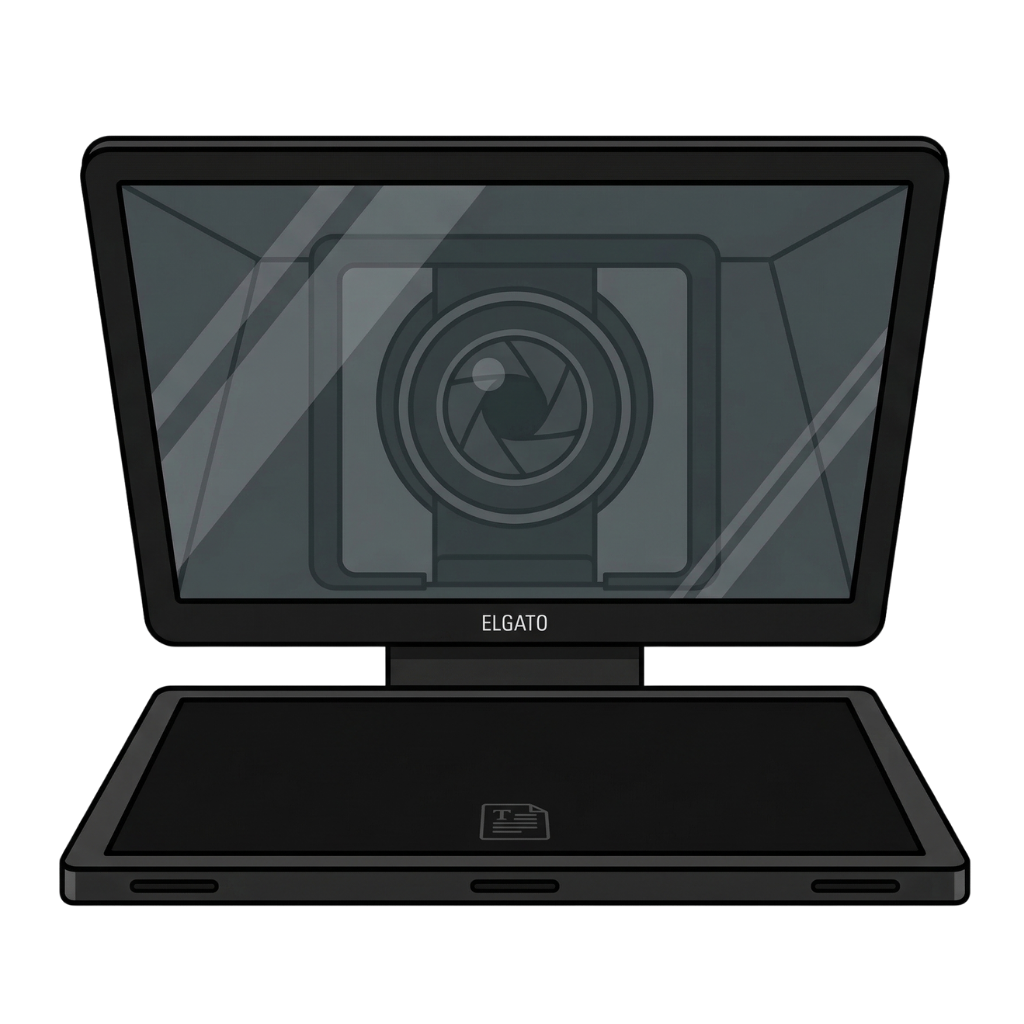
Pair VoxiPrompter with hardware like the Elgato Prompter or any beam splitter teleprompter. Your script reflects on the glass while your camera shoots through it — giving you natural eye contact with voice-guided scrolling.
Detached Display mode
Pop out the prompter to a second screen positioned under the beam splitter glass
Mirror mode built in
Flip the display so text reads correctly after beam splitter reflection
Voice-guided, not speed-based
Unlike scroll-based prompters, VoxiPrompter follows your actual speech — pause and it waits